
How it works
Find it. Pick it. Request it.
Here is how the HAJZTO mobile app takes you from "anyone up for a game?" to a booking request.
This website does not take bookings. Booking requests are made in the HAJZTO mobile app, which is coming soon to Google Play and the App Store.
-
Step 1
Discover sports
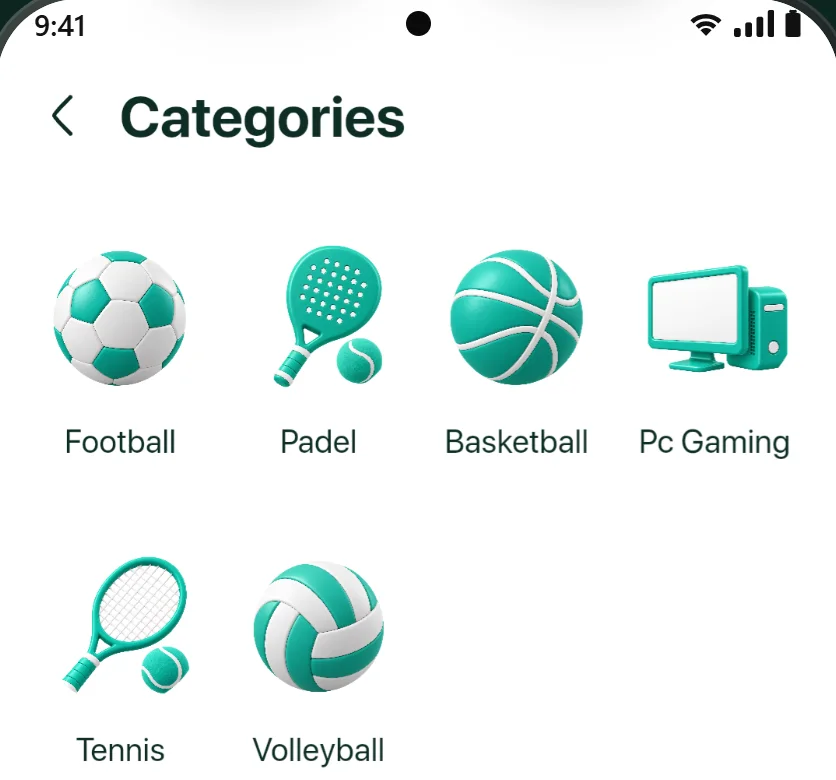
Open HAJZTO and start from the categories: football, padel, basketball, PC gaming, tennis and volleyball.
-
Step 2
Search for venues
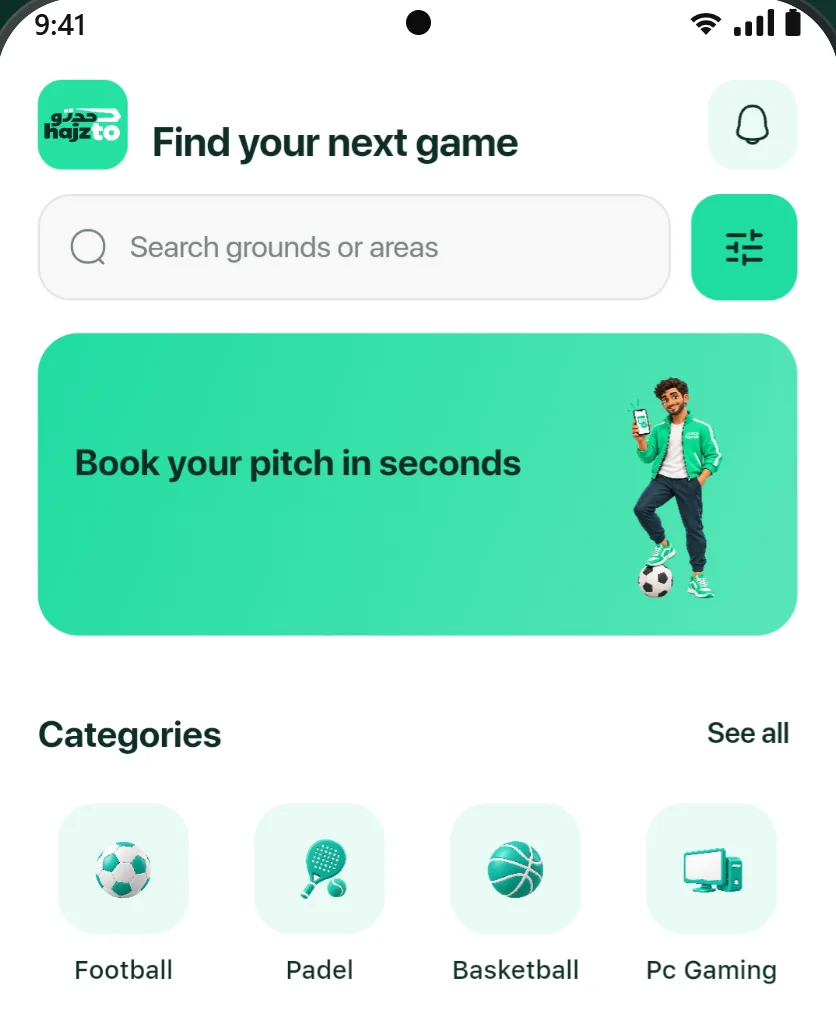
Use the search bar to look up grounds or areas, or browse the venues listed under each category.
-
Step 3
Use filters
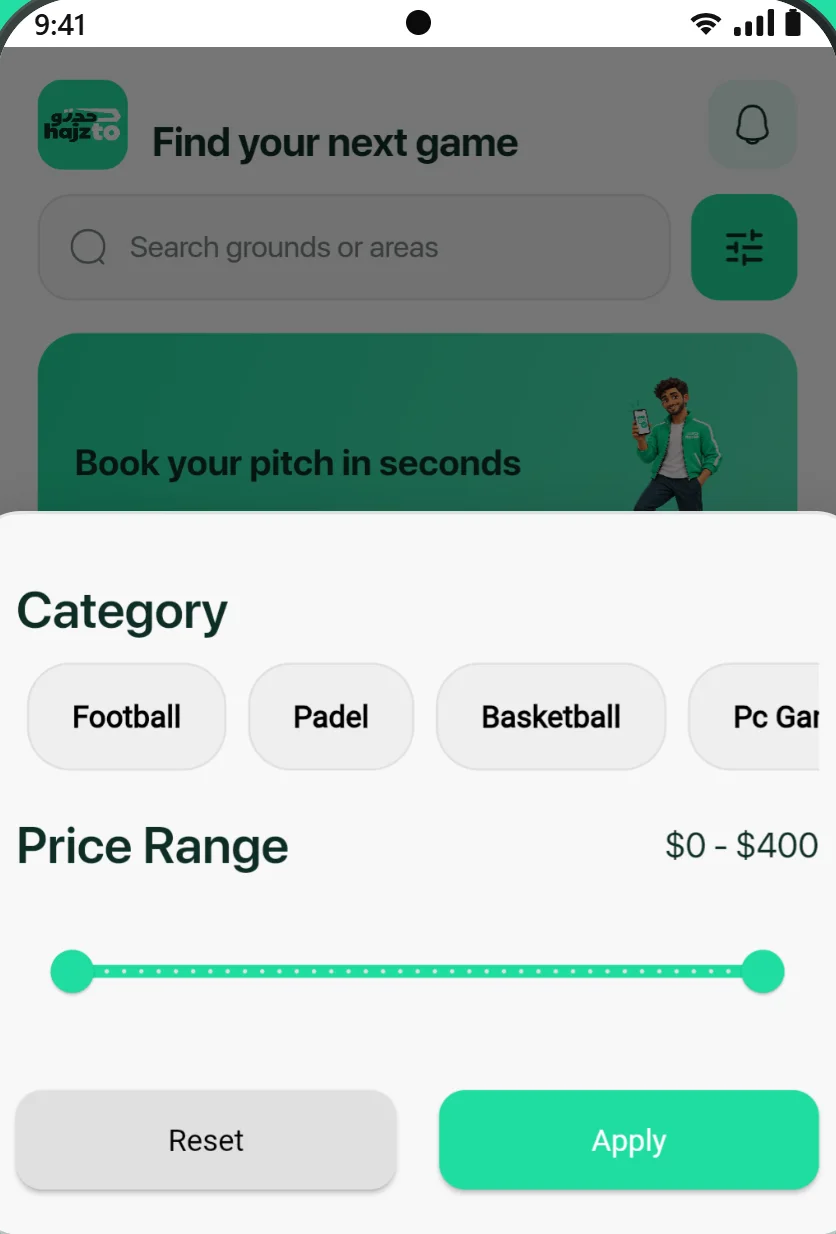
Open the filters to narrow results by category and price range.
-
Step 4
View venue details
Open a venue to check its location, pricing, features and reviews from other players.
-
Step 5
Choose a date & time
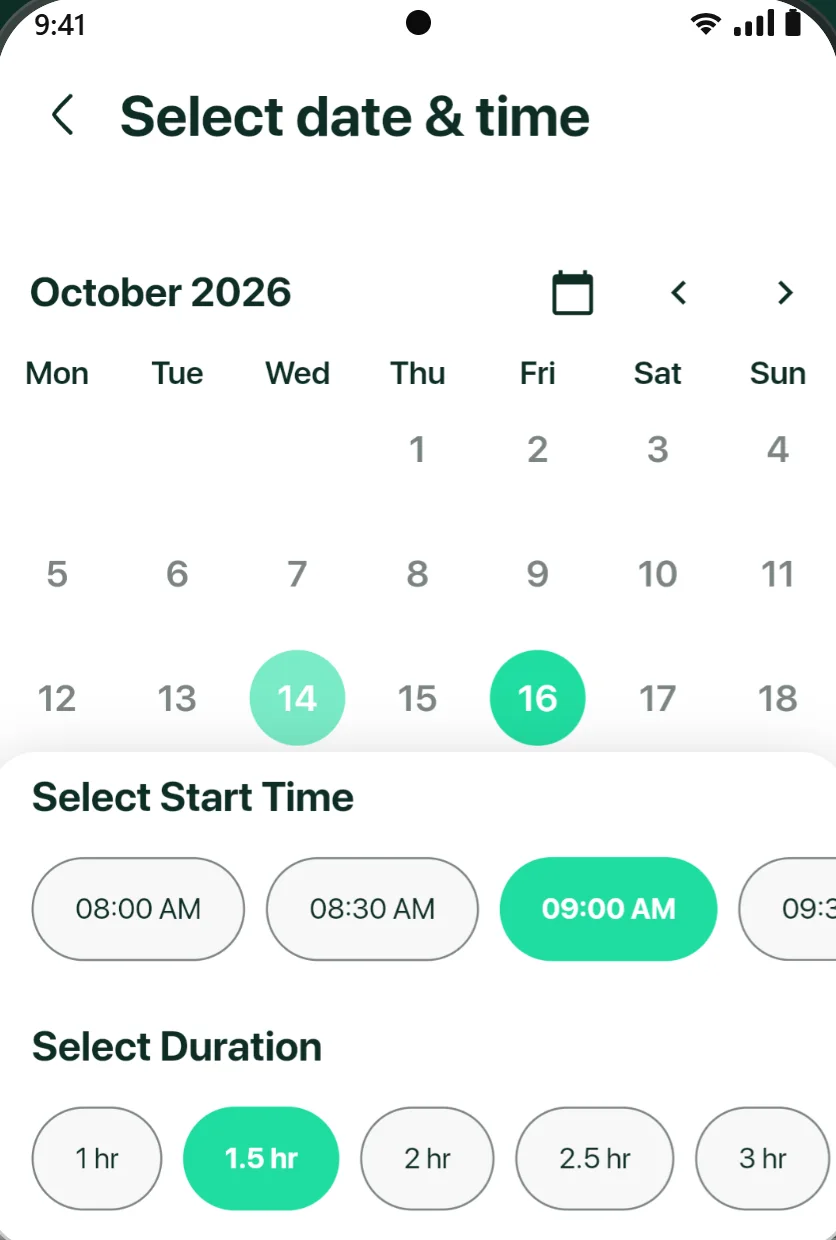
Pick a day on the calendar, select a start time and choose how long you want to play. Start times already taken on that court are greyed out.
-
Step 6
Send your request
Review the details and submit your booking request. You will need a HAJZTO account for this step.
-
Step 7
The venue confirms
The venue reviews your request and confirms or declines it. You can follow the status of your bookings in the app.
-
All categories in one place. -
Home: search grounds or areas and browse categories. -
Filters: category and price range. -
Date, start time and duration. Taken times are greyed out.
Real screens from the current HAJZTO app build. The app interface is in English; venues and details shown are examples and may change.
Good to know
-
Confirmation comes from the venue
A request is not a confirmed booking. Each venue confirms or declines its own requests.
-
Payment is arranged with the venue
HAJZTO does not process payments. Any deposit or payment is handled directly with the venue, according to its own policy.
-
Browse as a guest
You can explore sports and venues before signing up. An account is needed to send a booking request.
Run a venue?
See how your venue could appear in HAJZTO.